# Visualized Operation on MacOS

{% hint style="danger" %}
**🚨Important Note🚨**

If you have participated in Herschel testnet earlier, you need to mannually clear previous node data. Otherwise the node will not be able to start. 🚨

**🔘** [Data Cleaning Guide](https://help.titanapp.info/titan-network-en/resource-network-test/operate-nodes/l2-edge-node/installation-and-earnings/clear-up-old-node-data/data-cleaning-on-macos)

*If you have never operated Titan node before, just follow the steps below.*
{% endhint %}

## Step 1: Download the Installation Package

<table data-card-size="large" data-view="cards"><thead><tr><th></th><th data-hidden data-card-cover data-type="files"></th></tr></thead><tbody><tr><td><a href="https://github.com/Titannet-dao/titanedge-desktop/releases/download/0.0.11/titan_network_macos_v0.0.11.dmg"><mark style="color:red;"><strong>Mac Installer (.dmg)</strong></mark></a></td><td><a href="https://content.gitbook.com/content/6MWUoQBijnrc0tNWtAzG/blobs/GH5EJzESsWHQnOsX23Gb/image__22_.jpeg">image__22_.jpeg</a></td></tr></tbody></table>

## Step 2: Install the Program

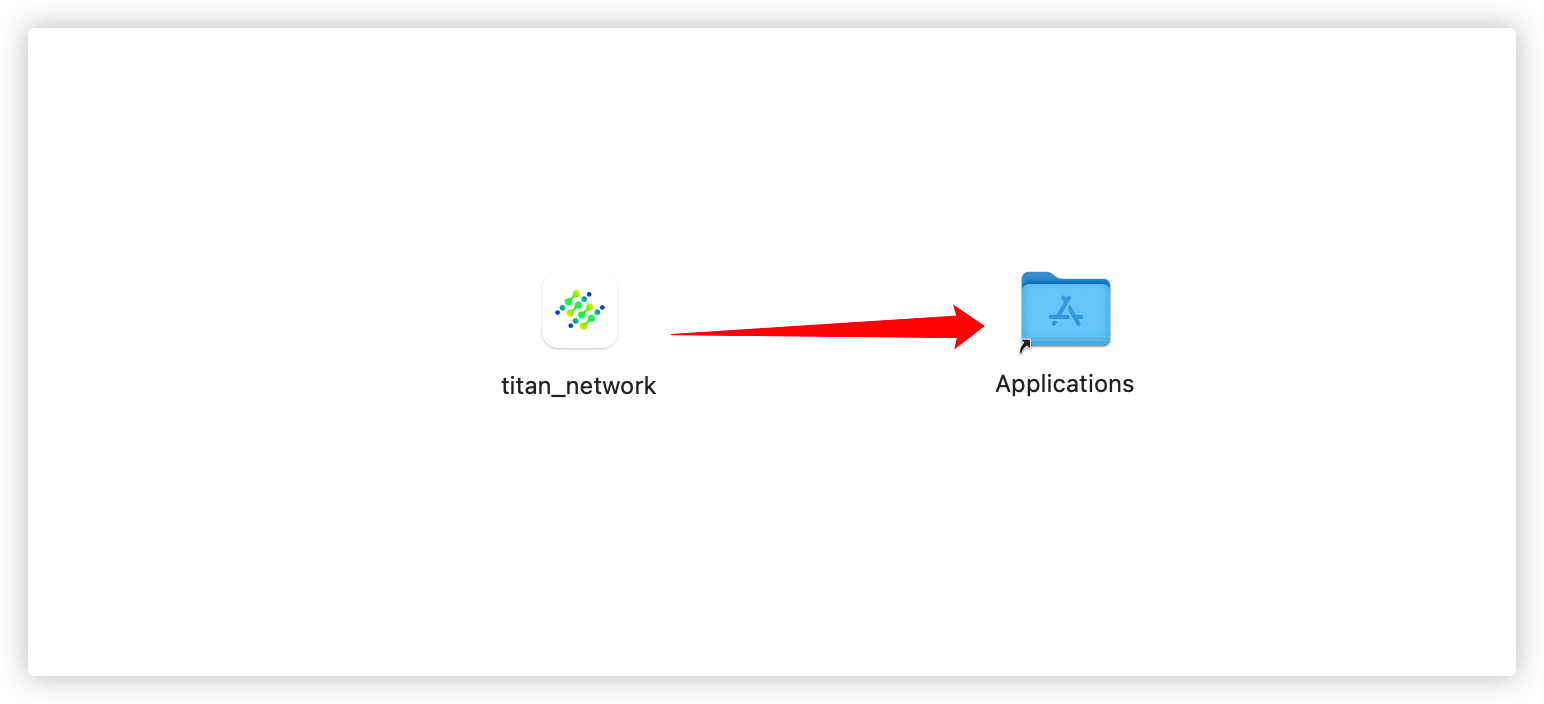
1. Drag the downloaded installation package to Applications to complete the installation.

<figure><img src="https://content.gitbook.com/content/6MWUoQBijnrc0tNWtAzG/blobs/ZhSrd2ILI1NXfa61qnvC/image.png" alt="" width="563"><figcaption></figcaption></figure>

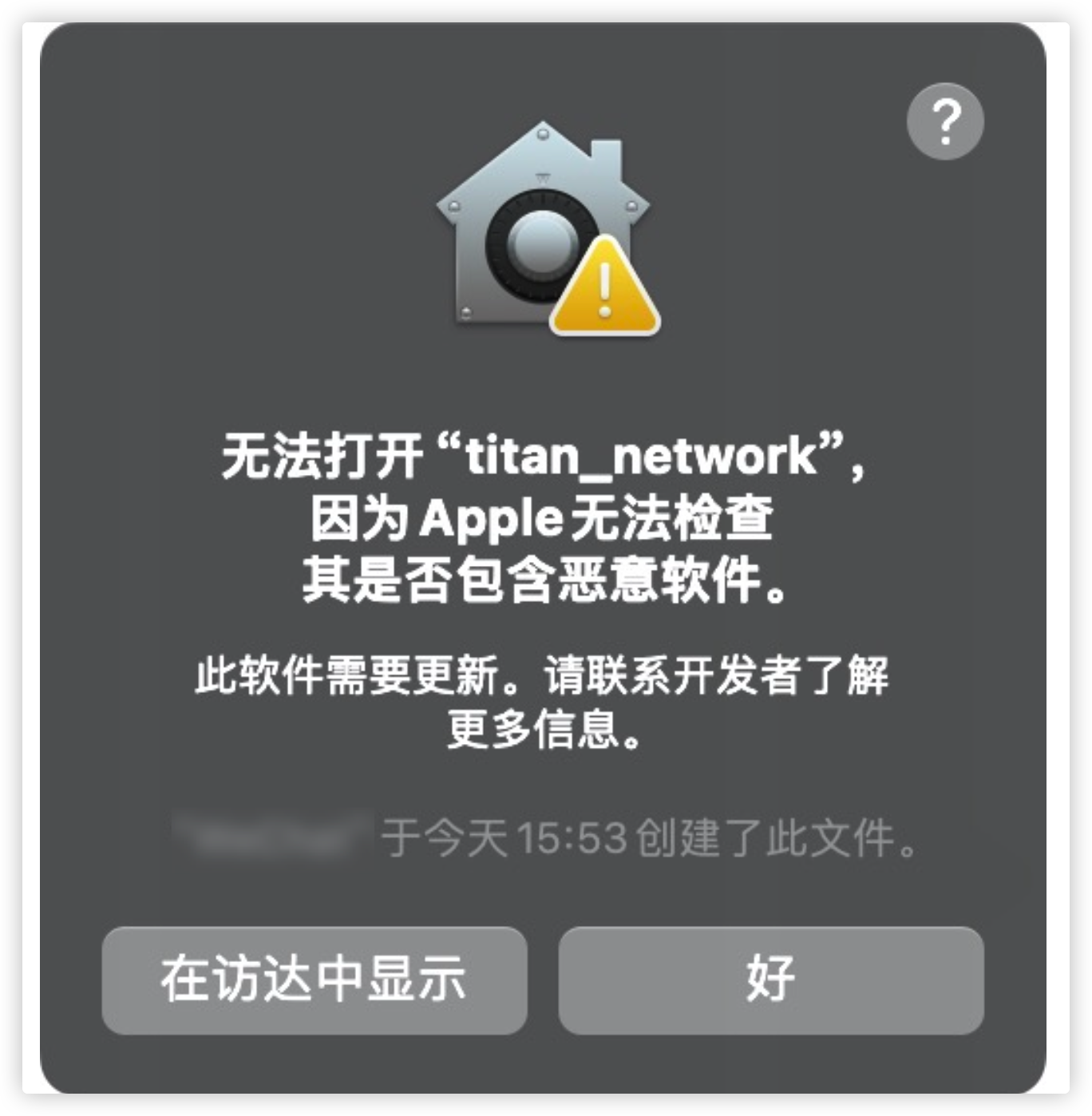
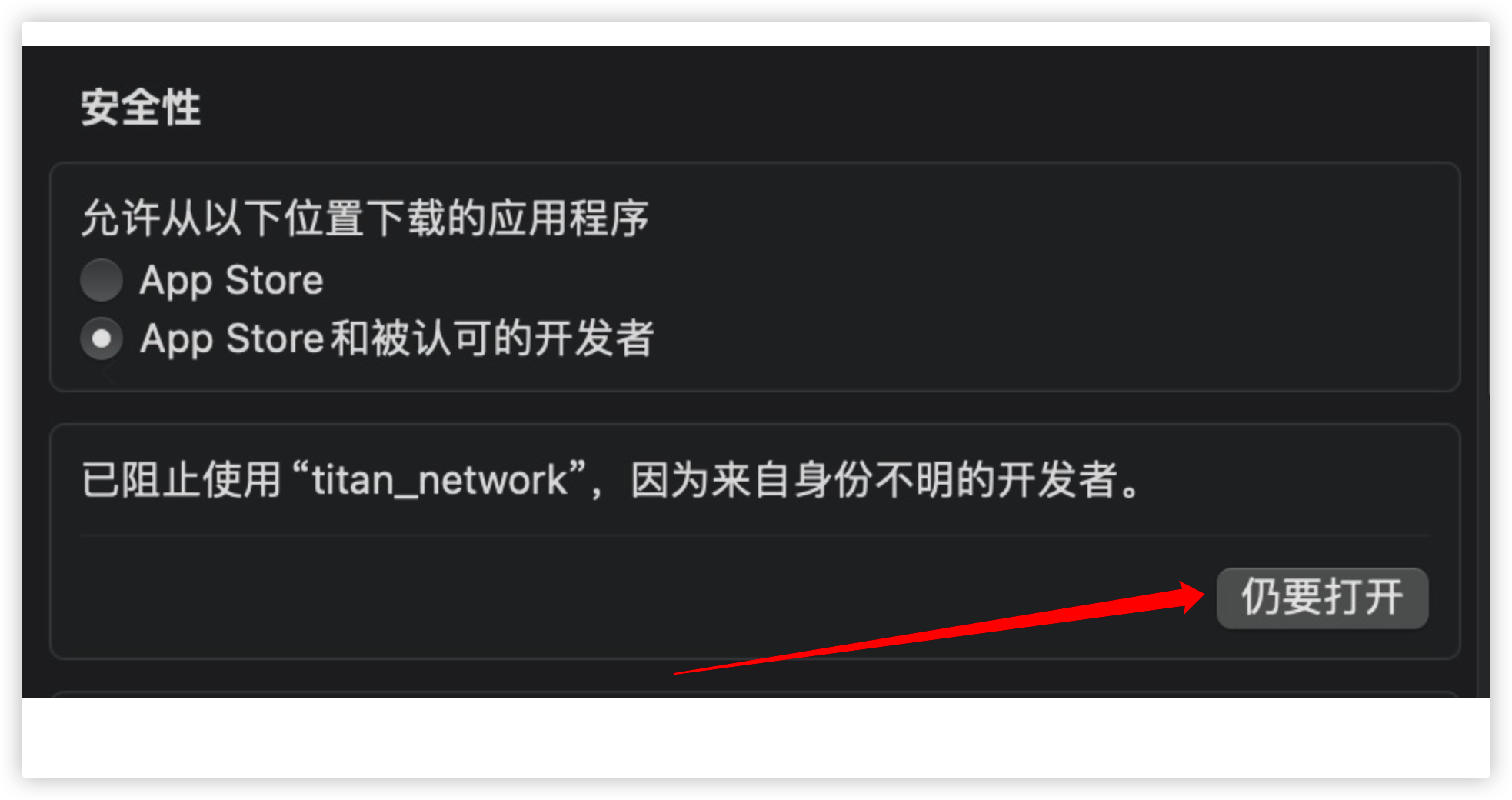
2. When opening the file for the first time, you may encounter a security warning.

<figure><img src="https://content.gitbook.com/content/6MWUoQBijnrc0tNWtAzG/blobs/6pnGysWTRRwRC5Wn3kvl/image.png" alt="" width="375"><figcaption></figcaption></figure>

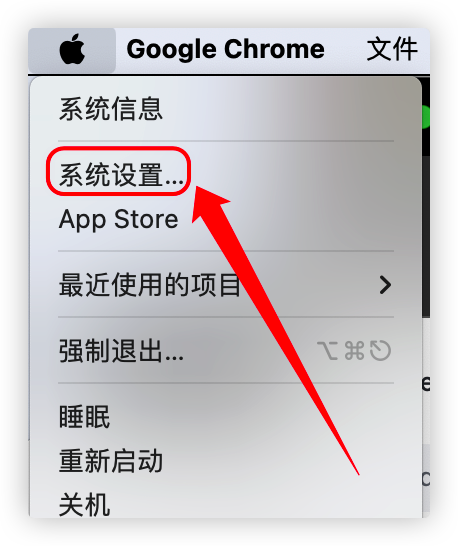
3\. Click the Apple logo (🍎) in the top left corner

<figure><img src="https://content.gitbook.com/content/6MWUoQBijnrc0tNWtAzG/blobs/oQqaLFBsMOgc38oCEoau/image.png" alt="" width="229"><figcaption><p>Open <mark style="color:red;">System Preferences</mark></p></figcaption></figure>

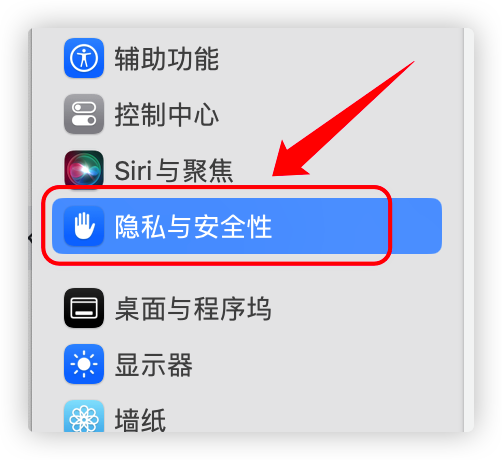
<figure><img src="https://content.gitbook.com/content/6MWUoQBijnrc0tNWtAzG/blobs/Qn4gFdcsQU41VpkVY6ka/image.png" alt="" width="251"><figcaption><p>Go to <mark style="color:red;">Privacy &#x26; Security</mark></p></figcaption></figure>

<figure><img src="https://content.gitbook.com/content/6MWUoQBijnrc0tNWtAzG/blobs/w1gCBUIETNaAnPqAgXSE/image.png" alt="" width="375"><figcaption><p>Select <mark style="color:red;">Open Anyway</mark></p></figcaption></figure>

## Step 3: Start making money

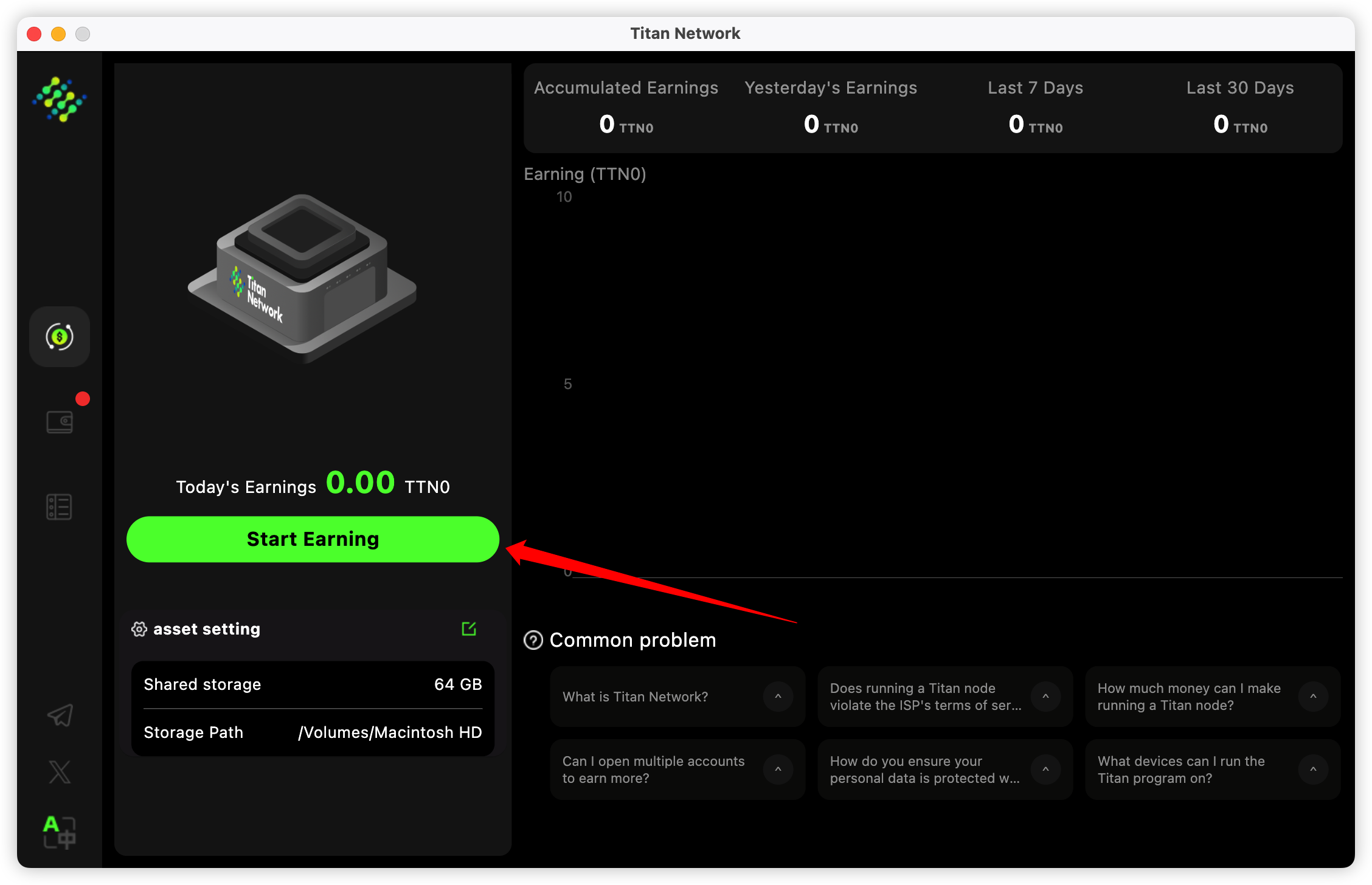
1. Click ‘Start Making Money’ to earn income

<figure><img src="https://content.gitbook.com/content/6MWUoQBijnrc0tNWtAzG/blobs/WV1EMgQwIoxGbMht3IX4/image.png" alt=""><figcaption></figcaption></figure>

## [Step 4: Bind the identity code](https://help.titanapp.info/titan-network-en/resource-network-test/bind-the-identity-code)