> For the complete documentation index, see [llms.txt](https://help.titanapp.info/llms.txt). Markdown versions of documentation pages are available by appending `.md` to page URLs; this page is available as [Markdown](https://help.titanapp.info/titan-network-zhong-wen/titan-fil/ru-he-huo-qu-key.md).

# 如何获取Key？

## 第一步：使用钱包登录后台

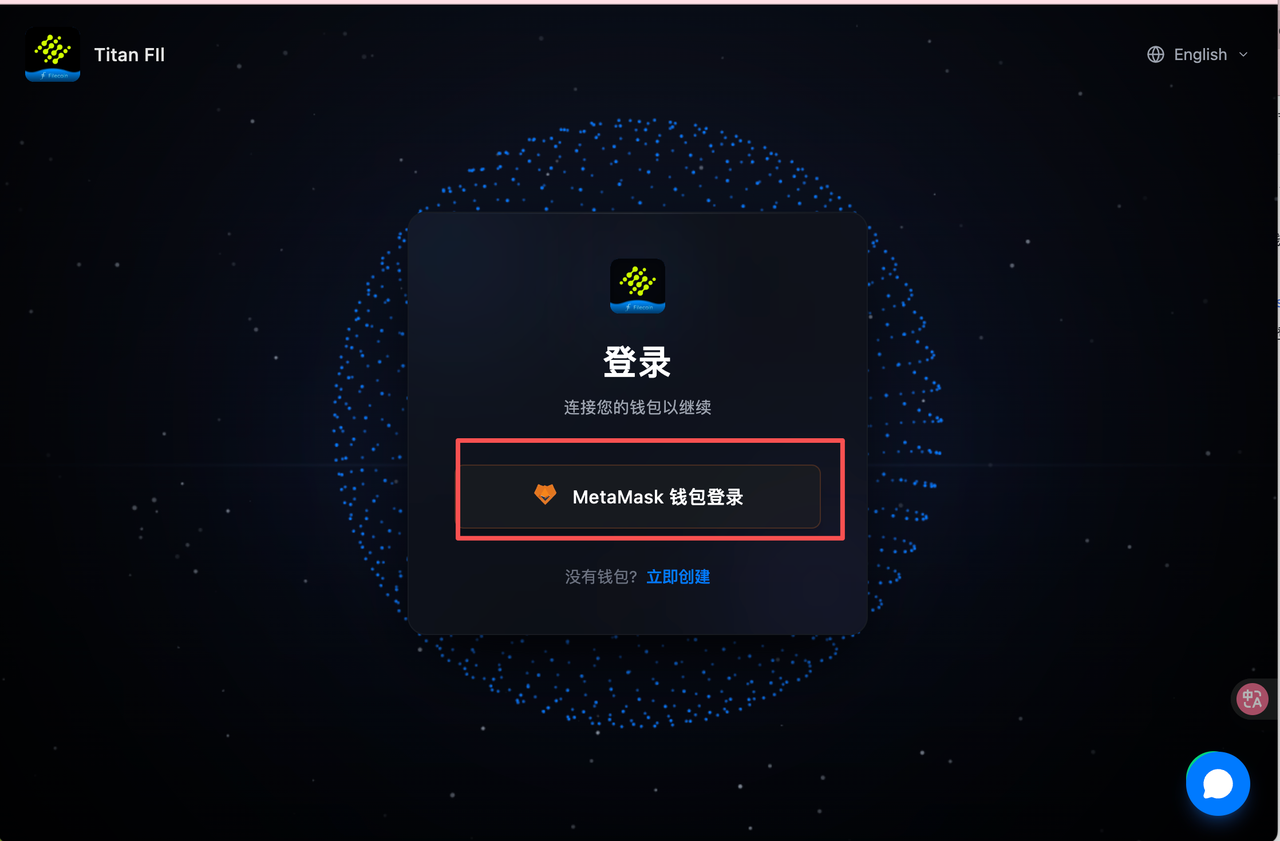
#### **1. 登录页**：<https://filecoin.titannet.io/>

使用MetaMask登录 Titan-FIL 的官方控制台。

<figure><img src="https://3822791205-files.gitbook.io/~/files/v0/b/gitbook-x-prod.appspot.com/o/spaces%2FrZQtAKIIsvAQP0E9RumD%2Fuploads%2FL2NQXNNtswoMrq1PQIyk%2Fimage.png?alt=media&amp;token=8b931f3a-c776-4645-821d-e161f81417c7" alt=""><figcaption></figcaption></figure>

## 第二步：获取身份 Key (Identity Key)

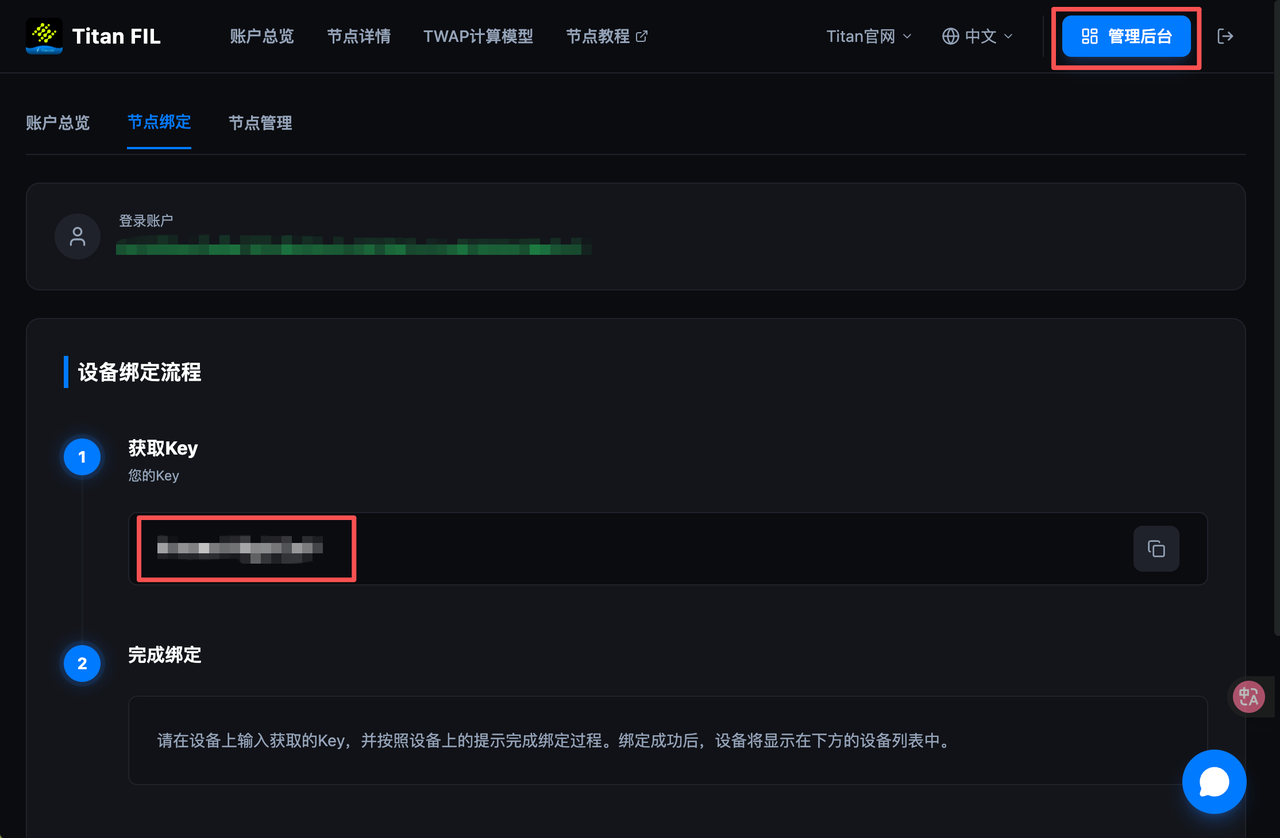
进入管理后台：

登录后，在页面界面中找到 **"管理后台"** (或 Dashboard) 入口。点击 **"节点绑定" (Node Binding)** 选项，**复制 Key**。

<figure><img src="https://3822791205-files.gitbook.io/~/files/v0/b/gitbook-x-prod.appspot.com/o/spaces%2FrZQtAKIIsvAQP0E9RumD%2Fuploads%2FYoJAa5iPfJJtFeYkpVJG%2Fimage.png?alt=media&amp;token=ae2cbe0e-9792-428b-b7ba-501a5051902a" alt=""><figcaption></figcaption></figure>